Frontend Development Done Right: Principles Over Pixels
Hard-earned lessons on building better user interfaces - focusing on what actually matters in frontend development
Frontend Development Done Right: Principles Over Pixels
A Personal Note
Hey there! 👋
Before we dive in, let me address the elephant in the room: Why should you listen to me?
I've been working as a frontend developer for the past couple of years, and honestly, I've made every mistake in the book. I've built interfaces that looked beautiful but were impossible to use. I've spent days perfecting animations that nobody cared about. I've redesigned the same component five times before writing a single line of functional code.
This blog isn't about me being an expert. It's about me sharing the hard lessons I learned so you don't have to make the same mistakes.
Also, fair warning: I'm not a native English speaker, and I'm definitely not a professional writer. But I believe the ideas here are valuable, and I hope you'll stick with me despite any awkward phrasing.
So, let's talk about building better frontends.
The Problem We All Face
Picture this: You're excited about a new project. You open VS Code, fire up the terminal, and type:
# Create a new Next.js project
npx create-next-app@latest my-awesome-app

# Navigate to the project
cd my-awesome-app

# Install dependencies
npm install

# Start the development server
npm run dev
The server starts. You eagerly delete all the template code. And then...
You stare at a blank white screen.
Your mind races:
- Should I have a top navbar or a sidebar?
- What colors should I use?
- Should the navigation be on the left or right?
- What about the logo placement?
- Should I use a card-based layout or a list view?
Sound familiar?
I've been there countless times. And here's what I learned: This is exactly the wrong way to start.
Principle 1: User Needs Before Visual Needs
Stop Designing in a Vacuum
The biggest mistake I made early in my career was treating frontend development like an art project. I would open Figma or jump straight into code and start designing interfaces based on what looked cool, not what users actually needed.
Here's the truth: Your users don't care how beautiful your interface is if it doesn't solve their problem.
The Better Approach
Before you write a single line of code or push a single pixel, grab a notebook (or open Notion, Obsidian, or whatever note-taking app you prefer) and answer these questions:
Essential Questions:
- What problem is this project solving?
- Who are the users?
- What is the primary goal they're trying to achieve?
- What are the core features they absolutely need?
- What would make this product genuinely useful?
Real Example: Flight Booking Interface
Let's say you're building a flight booking service. Instead of thinking about colors and animations, start with the user's journey:
User Goal: Find and book a flight from City A to City B
Essential Features:
- Departure city input
- Destination city input
- Departure date picker
- Return date picker (if round trip)
- Search button
- Results display
That's it. That's your starting point.
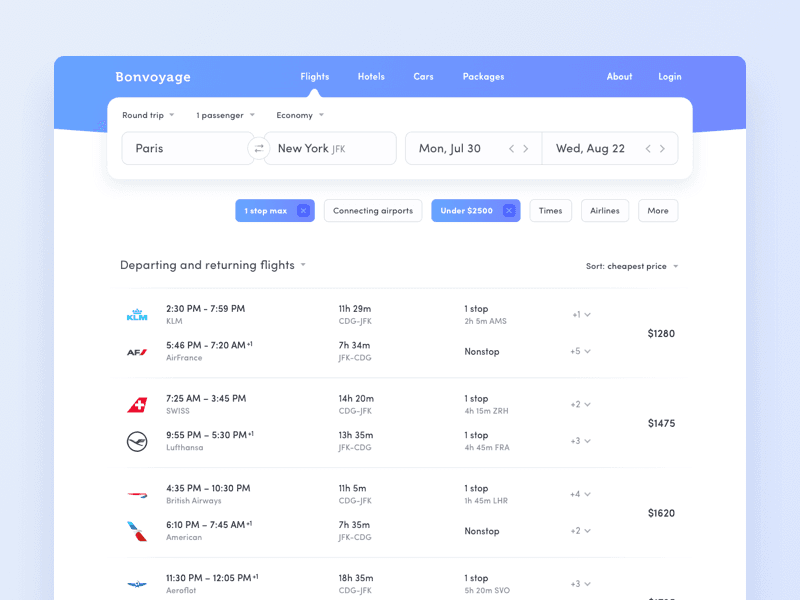
Now, you can look at existing solutions for inspiration:
But here's the critical part: Don't blindly copy everything you see.
Those designs might have features like:
- Trending destinations
- Price calendars
- Seat selection
- Meal preferences
- Travel insurance options
Ask yourself: Do my users need all of this right now?
Maybe they do. Maybe they don't. But make that decision based on user needs, not because it looks cool in a Dribbble shot.
The Mindset Shift
Design is not about making things pretty. Design is about making things work.
User experience is:
- 70% functionality and usability
- 30% visual aesthetics
Get the 70% right first. The 30% can come later.
Principle 2: Build, Don't Perfect
The Perfectionist Trap
When I started out, I would spend hours (sometimes days) obsessing over:
- The perfect typeface combination
- The ideal color palette
- Smooth micro-interactions
- Custom icon designs
- Pixel-perfect spacing
Meanwhile, my app didn't actually do anything.
The Reality Check
Here's what I learned the hard way: All that stuff matters eventually, but it doesn't matter right now.
In the early stages of development, your goal is to create something functional and usable. That's it.
The Incremental Approach
Instead of trying to build the perfect product from day one, work in iterations:
Phase 1: Make it work
- Build the core functionality
- Use default fonts and basic styling
- Focus on the user flow
- Make sure everything functions correctly
Phase 2: Make it usable
- Improve the information hierarchy
- Add clear labels and feedback
- Ensure intuitive navigation
- Test with real users (or at least friends)
Phase 3: Make it beautiful
- Refine the visual design
- Add animations and transitions
- Polish the typography
- Perfect the color scheme
- Add custom icons and illustrations
Phase 4: Make it exceptional
- Add delightful micro-interactions
- Optimize performance
- Enhance accessibility
- Add advanced features
Why This Works
By building incrementally, you:
- Get user feedback early (when changes are cheap)
- Avoid wasting time on features nobody uses
- Stay motivated by seeing progress
- Make better design decisions based on real usage
I can't tell you how many times I've spent days perfecting a feature, only to realize users didn't need it at all. Don't be like past me.
Principle 3: Hierarchy Before Color
My Grayscale Revelation
One of the best pieces of advice I ever received was: Design in grayscale first.
At first, I thought this was crazy. Why would I intentionally make my design boring?
But then I tried it, and everything changed.
Why Grayscale Works
When you remove color from the equation, you're forced to focus on what actually creates visual hierarchy:
Typography:
- Font sizes (h1, h2, h3, body text)
- Font weights (bold, regular, light)
- Line heights and spacing
- Text alignment
Spacing:
- Padding (space inside elements)
- Margins (space between elements)
- Whitespace (breathing room)
- Grouping related items
Layout:
- Element sizes and proportions
- Visual weight and balance
- Content organization
- Information flow
The Grayscale Challenge
Here's a challenge: Look at this grayscale design:
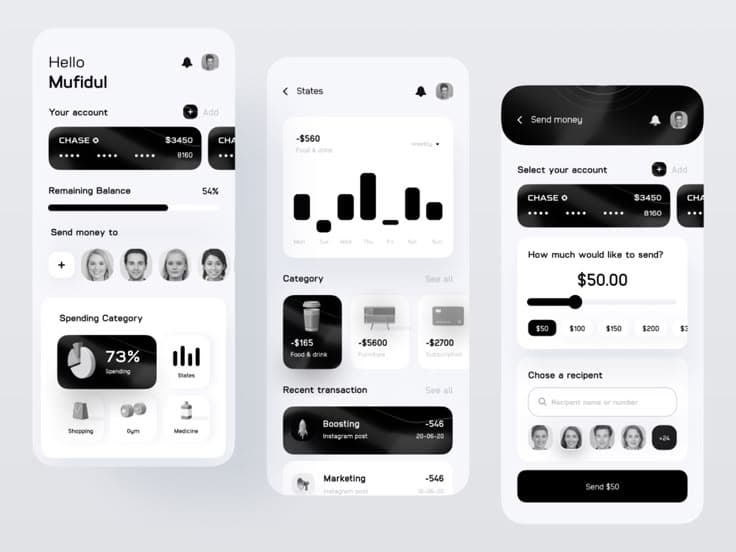
Even without color, you can clearly see:
- What's important (larger, bolder text)
- What's secondary (smaller, lighter text)
- How content is organized (spacing and grouping)
- Where your eye should go first (visual hierarchy)
Now compare it to the colorful version:
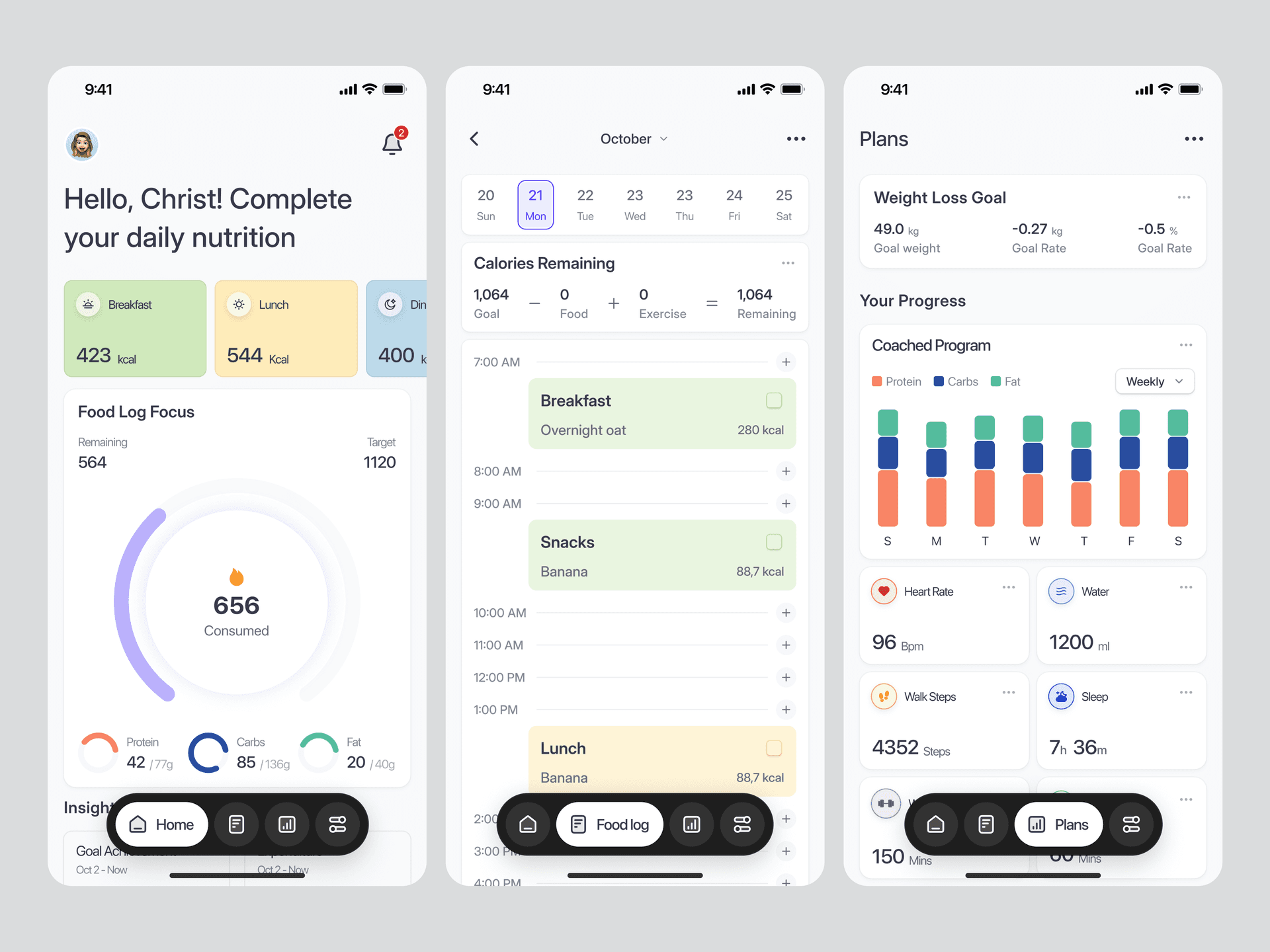
The color enhances the design, but the hierarchy was already there.
Practical Application
When I start a new project now, I follow this process:
- Build the structure - HTML/JSX with semantic elements
- Create hierarchy - Typography, spacing, and layout in grayscale
- Test usability - Can users accomplish their goals?
- Add color - Enhance the existing hierarchy
- Refine - Adjust based on feedback
This approach has saved me countless hours of redesign work.
Pro Tip: Don't Overdo It
Simplicity is the ultimate sophistication.
I used to think "more is better." More colors, more effects, more elements, more everything.
Now I know: Clutter is the enemy of clarity.
Every element you add should serve a purpose. If it doesn't help the user achieve their goal, it's just noise.
Principle 4: Design Just Enough, Then Build
The Over-Planning Trap
Early in my career, I would spend weeks in Figma, designing every single screen, every interaction, every edge case, every possible state.
I would think about:
- What if the error message is really long?
- How will this table look with 2,000 rows?
- What if two events happen on the same date?
- How do we handle users with really long names?
- What about mobile, tablet, desktop, and ultra-wide screens?
By the time I finished designing, I was exhausted. And when I finally started building, I discovered that half my assumptions were wrong.
The Abstract Problem
Here's the issue: It's really hard to design for problems you haven't encountered yet.
When you're working in Figma or on paper, you're working in the abstract. You're imagining how things might work. But reality is always more complex than imagination.
The Cycle-Based Approach
Now, I work in short cycles:
Cycle 1: Design the basics
- Sketch out the core interface
- Focus on the happy path (when everything works)
- Keep it simple
Cycle 2: Build it
- Implement the basic design
- Use real data (or realistic fake data)
- See what actually happens
Cycle 3: Discover problems
- Oh, this error message is too long
- Oh, this table breaks with lots of data
- Oh, this layout doesn't work on mobile
- Oh, users are confused by this button
Cycle 4: Fix and iterate
- Solve the real problems you discovered
- Adjust the design based on actual usage
- Test again
Repeat until satisfied, then move to the next feature
Why This Works Better
Benefits of the cycle approach:
- You solve real problems, not imaginary ones
- You get working software faster
- You can test with real users earlier
- You make better decisions with real data
- You waste less time on over-planning
The key insight:
It's easier to fix design problems in a real interface than to imagine every edge case in advance.
A Personal Example
I once spent three days designing a complex dashboard with multiple charts, filters, and data views. I thought about every possible scenario.
When I built it and showed it to users, they said: "This is too complicated. We just want to see the total and a simple list."
Three days of design work, wasted.
Now, I would have built a simple version in half a day, shown it to users, and iterated from there.
The Balance
This doesn't mean you should never plan. Planning is important. But there's a balance:
Plan enough to:
- Understand the problem
- Identify the core features
- Create a basic structure
- Start building confidently
Don't plan so much that:
- You're solving imaginary problems
- You're delaying real progress
- You're making decisions without data
- You're exhausted before you start coding
Putting It All Together
Let me show you how these principles work together with a real example.
Example: Building a Task Management App
Wrong Approach (Old Me):
- Spend a week in Figma designing every screen
- Choose the perfect color palette
- Design custom icons
- Plan complex animations
- Finally start coding
- Realize half the design doesn't work
- Get frustrated and redesign
- Repeat
Right Approach (Current Me):
Week 1: Understand and Build Core
- Define user needs: Add tasks, mark complete, view list
- Build basic functionality in grayscale
- Simple list, input field, checkbox
- Test: Does it work?
Week 2: Improve Usability
- Add proper spacing and hierarchy
- Improve typography
- Add delete functionality
- Test with a friend
Week 3: Add Visual Polish
- Choose colors that enhance hierarchy
- Add subtle transitions
- Improve mobile responsiveness
- Add icons where they help clarity
Week 4: Iterate Based on Feedback
- Fix discovered issues
- Add requested features
- Optimize performance
- Polish edge cases
Result: A functional, usable, beautiful app built in a month instead of getting stuck in design paralysis.
Key Takeaways
If you remember nothing else from this blog, remember these four principles:
- Needs Over Design - Solve user problems before making things pretty
- Build Incrementally - Make it work, then make it beautiful
- Hierarchy First - Design in grayscale to focus on structure
- Design Just Enough - Build real things to solve real problems
What's Next?
In Part 2, we'll dive deeper into:
- Creating effective visual hierarchies
- Choosing colors that actually work
- Typography principles for better readability
- Responsive design strategies
- Accessibility fundamentals
But for now, I challenge you: Start your next project with these principles in mind.
Don't open Figma first. Don't obsess over colors. Don't try to design everything upfront.
Instead:
- Understand your users
- Build something simple
- Make it work
- Iterate and improve
You'll be amazed at how much faster you move and how much better your results are.
Final Thoughts
Frontend development is a journey. I'm still learning every day, and I still make mistakes. But these principles have made me a better developer, and I hope they help you too.
If you found this helpful, let me know. If you disagree with something, that's great too - the best learning happens through discussion.
Now go build something awesome! 🚀
Have thoughts or questions? I'd love to hear from you. We're all learning together.
Stay tuned for Part 2!